Frog Collector Achievements
A cozy plan for the 12 Steam Achievements—earn them through natural shop play, not stress runs.
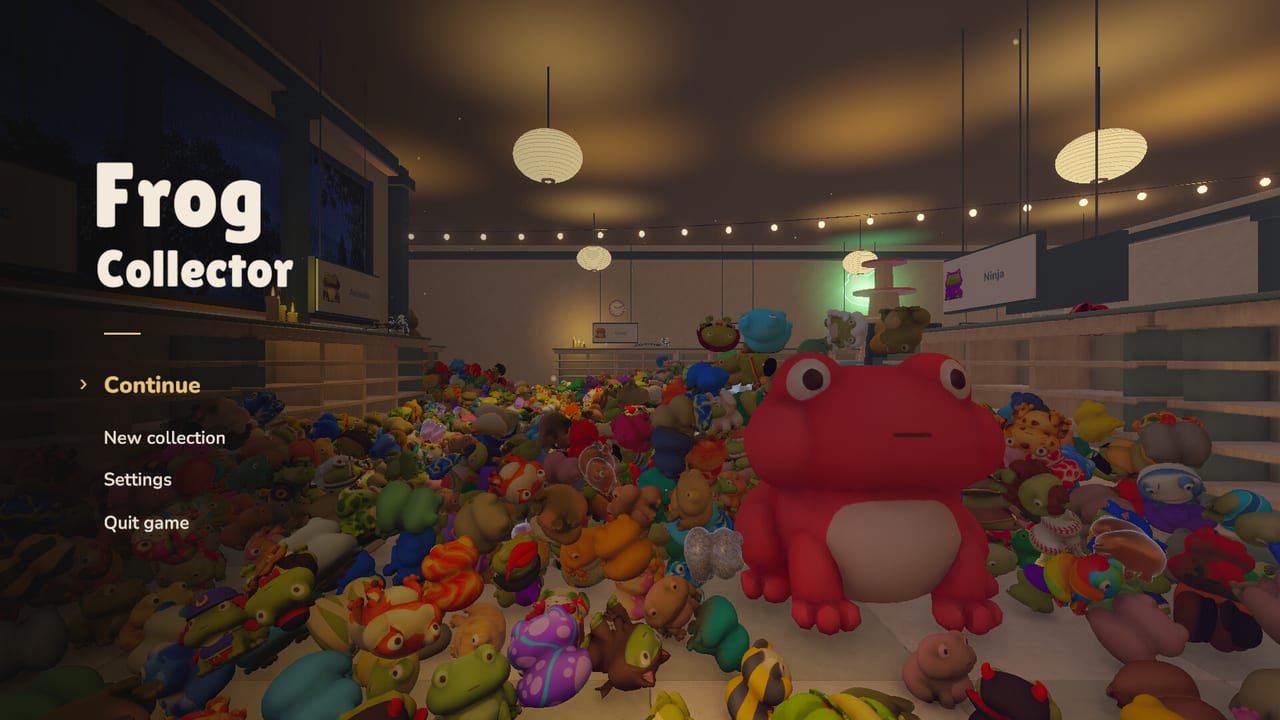
Frog Collector ships with 12 Steam Achievements on the November 18, 2026 release build. Exact unlock titles and hidden descriptions live in the Steam client and may shift if TidyMage patches copy, so this guide focuses on how achievements usually attach to the shop systems you already use: themed shelves, catalogue progress, upgrades, throws, hidden eggs, machines, and the personal display. Play the collectathon first; let trophies trail behind your cozy sessions.
Pair this page with Getting Started for the core loop, Upgrades for economy milestones, Hidden Eggs for discovery, and the Collection Checklist for visible progress. Launch packaging notes—including Family Sharing and DLC context—sit in Launch Notes.
What we know for sure
- The Steam store lists Steam Achievements as a feature with a total of 12.
- The game is single-player with Family Sharing and partial controller support.
- Core verbs are pick up, carry, place/throw, match themed shelves, buy upgrades, browse the catalogue, find hidden eggs, explore shop machines, and curate a personal favorite display.
- Optional DLC (Supporter Pack / Pocket Shelves) is a separate purchase; see Supporter Pack. Whether any future trophies sit in a separate Steam Achievement Set depends on how TidyMage configures sets—always trust the in-client achievement list.
This wiki will not invent fake achievement names. When you need the literal string, open Steam → Frog Collector → Achievements, or the in-game overlay.
Cozy completion mindset
Achievement hunting in a rainy frog shop should feel like finishing shelves, not grinding a raid lockout. Recommended approach:
- Ignore the list for the first evening. Learn pickup, place, and one money loop.
- Glance at locked trophies once after you understand themes—so you know which systems matter.
- Fold missing trophies into session goals on your checklist (for example, “finish a shelf theme” or “buy the next carry upgrade”).
- Save pure scavenger achievements for nights when sorting feels automatic.
If a trophy description sounds like a long grind, break it into aisle-sized goals. The shop already contains roughly 4,395 figures; progress is inevitable if you keep placing correctly.
Achievement families (system-based)
Without spoiling hidden names, expect the twelve unlocks to cluster around these families. Use the clusters as a hunting map:
Sorting and shelf mastery
Many cozy collectathons award trophies for first correct placements, finishing a themed shelf, or reaching catalogue checkpoints. Practical habits:
- Complete whole shelf sections instead of scattering singles (Efficient Sorting).
- Revisit aisles after reach and carry upgrades so previously awkward slots become easy.
- Keep the catalogue open as a truth source for “how close am I?” moments.
Economy and upgrades
Expect milestones tied to spending money or unlocking helper tiers. Follow the Early Game Tier List so trophy-adjacent purchases still improve your real sorting speed: capacity first, then match helpers, reach, and throw as layouts demand.
Exploration: eggs, machines, display
Discovery trophies usually want you to look past obvious piles. Use Hidden Eggs for search habits, poke interactive machines, and place a favorite frog in the personal display when you want a celebration beat. Exploration achievements are perfect palate cleansers between heavy sorting blocks.
Physics and throw expression
Because frogs are physical toys, some unlocks may celebrate confident throws or creative placement. Practice throw arcs in open bays before you attempt precision slots—controls notes live in Controls.
Meta / session trophies
A few achievements in similar games fire on first launch milestones, extended playtime, or finishing a “tour” of systems. Natural play across a few evenings covers these without a stopwatch.
A practical 12-achievement hunt plan
Use this multi-evening route. Adjust order if your Steam list highlights something earlier.
Evening A — Loop literacy
- Finish Getting Started goals: one small shelf section, first capacity or reach buy.
- Open Steam achievements once; screenshot or note categories that mention shelves, money, or exploration.
Evening B — Economy trophies
- Push the upgrade path from Upgrades until at least two families feel different in your hands.
- Tick checklist rows for shelves you completed while earning that cash.
Evening C — Catalogue pressure
- Pick two incomplete themes and drive them toward “mostly done” with collection checklist discipline.
- Avoid opening new aisles until those themes move.
Evening D — Discovery block
- Run a dedicated egg/machine/display loop via Hidden Eggs.
- Return any strays to shelves afterward so the shop stays walkable.
Evening E — Cleanup and leftovers
- Re-read locked Steam descriptions.
- Only now chase outliers (specific throw tricks, obscure corners, or late catalogue thresholds).
This plan keeps trophy hunting aligned with fun. If an unlock still refuses to fire, verify game files on Steam, check Updates for patch notes, and ask politely on the Discord linked from Official Links.
DLC, Achievement Sets, and 100% anxiety
Steam rolled out Achievement Sets around the same season as Frog Collector’s launch, letting developers separate base trophies from DLC trophies. Frog Collector’s storefront shows 12 achievements on the base packaging and a separate Supporter Pack. Until TidyMage documents otherwise:
- Treat the 12 as the base-game list you can pursue without DLC.
- Own Supporter Pack / Pocket Shelves for the puzzle campaign itself; do not assume puzzle clears are required for the base twelve.
- If Steam later shows purple DLC sets, complete base sets with confidence even if you skip paid extras.
Controller, Family Sharing, and tracking tips
- Partial controller support is fine for relaxed sorting; switch to mouse and keyboard if a precision-oriented trophy fights your sticks (Controls).
- Family Sharing lets another household user play the shop, but achievements generally unlock on the account that is playing—plan who is hunting trophies.
- Keep a tiny note of “locked systems left” beside your checklist rather than memorizing Steam’s full overlay every minute.
What not to do
- Do not buy random late upgrades only because a vague trophy icon looks shiny—spend with the tier list.
- Do not spoil your own discovery layer by demanding a full egg dump on day one.
- Do not invent third-party “achievement save editors” or unofficial unlock tools; they risk your Steam account and break the cozy point of the game.
- Do not assume YouTube clickbait lists are patch-accurate—prefer the live Steam achievement text.
Where to go next
- Still learning the shop → Getting Started
- Need faster shelf clears while hunting → Efficient Sorting
- Want discovery trophies → Hidden Eggs
- Curious about Pocket Shelves DLC → Supporter Pack
- Need day-one packaging facts → Launch Notes
Earn the twelve achievements the same way you fill the shop: one correct frog, one sensible upgrade, and one curious peek behind a pile at a time. The trophies will catch up.
Frequently Asked Questions
Quick answers to the most common Frog Collector questions.
How many Steam Achievements does Frog Collector have?
The Steam store lists 12 Steam Achievements for the base game packaging at launch.
Do I need the Supporter Pack for all achievements?
Pursue the listed base achievements through normal shop play. The Supporter Pack is optional DLC focused on Pocket Shelves puzzles; confirm any DLC-specific trophies in the Steam client.
Will this page list every achievement name?
No. Names and hidden descriptions can change with patches. Use Steam’s achievement list for exact wording and this guide for system-based hunting strategy.
What should I unlock first?
Play naturally through getting started goals—early shelf completions and upgrades—then glance at remaining locked trophies and fold them into your checklist.
Where do I get help if an achievement is stuck?
Verify game files, check the updates hub for patches, and ask on the official Discord linked from the wiki links page.